
Not everyone recognizes the contact page as a marketing opportunity. Some businesses try to bury it so that they can hide behind the chatbot barrier.
What they don’t know (and what you can take advantage of) is that the contact page is not always a support burden, but instead a potential lead-generation channel.
How can the contact page be a lead-generation channel?
Sometimes potential customers can’t find their answers right away, they need to talk to someone. Depending on your target demographic, people may prefer to have a conversation with someone than go through your self-serve options.
That’s when having an effective Contact Us page comes into play, we can filter specific conversations to different channels mitigate the number of 1-on-1 conversations we need to have, and focus more time on potential new customers!
How do we filter out unnecessary conversations?
First, we need to direct different conversations to the appropriate channels, almost like a “choose your journey” experience.
You may have different channels for existing customers versus potential customers, and different people to handle those conversations.
Here’s what our page looks like!
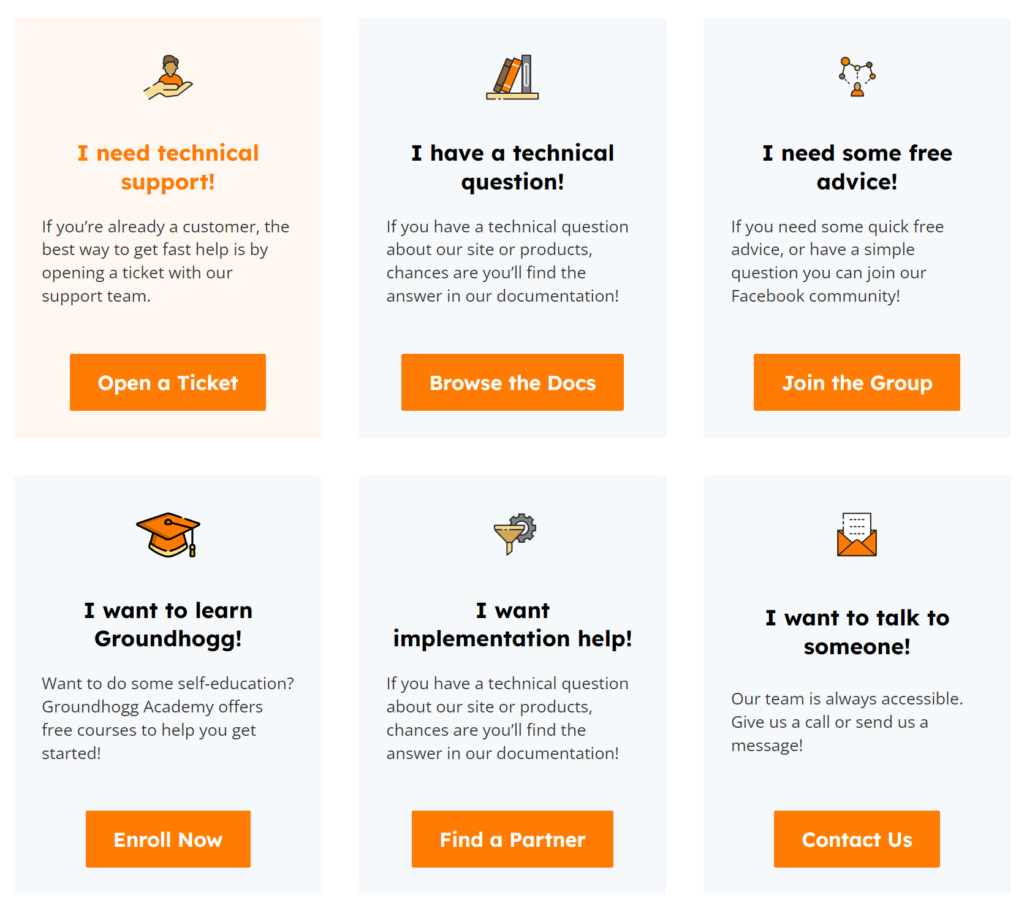
We show different options depending on the type of question the user has.
This will filter out some of the conversations from the contact form so that you only get the most relevant messages.
Your contact form is an opt-in form.
A missed opportunity is using your contact form as just a contact form. From now on it’s an opt-in form like any other form on your site.
If it collects a name and an email address, it’s an opportunity to convert a lead into a customer!
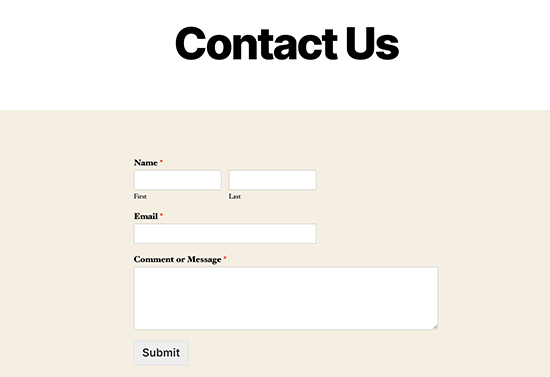
Here’s a typical contact form…
Name, email address, message, and that’s it? Something is missing.
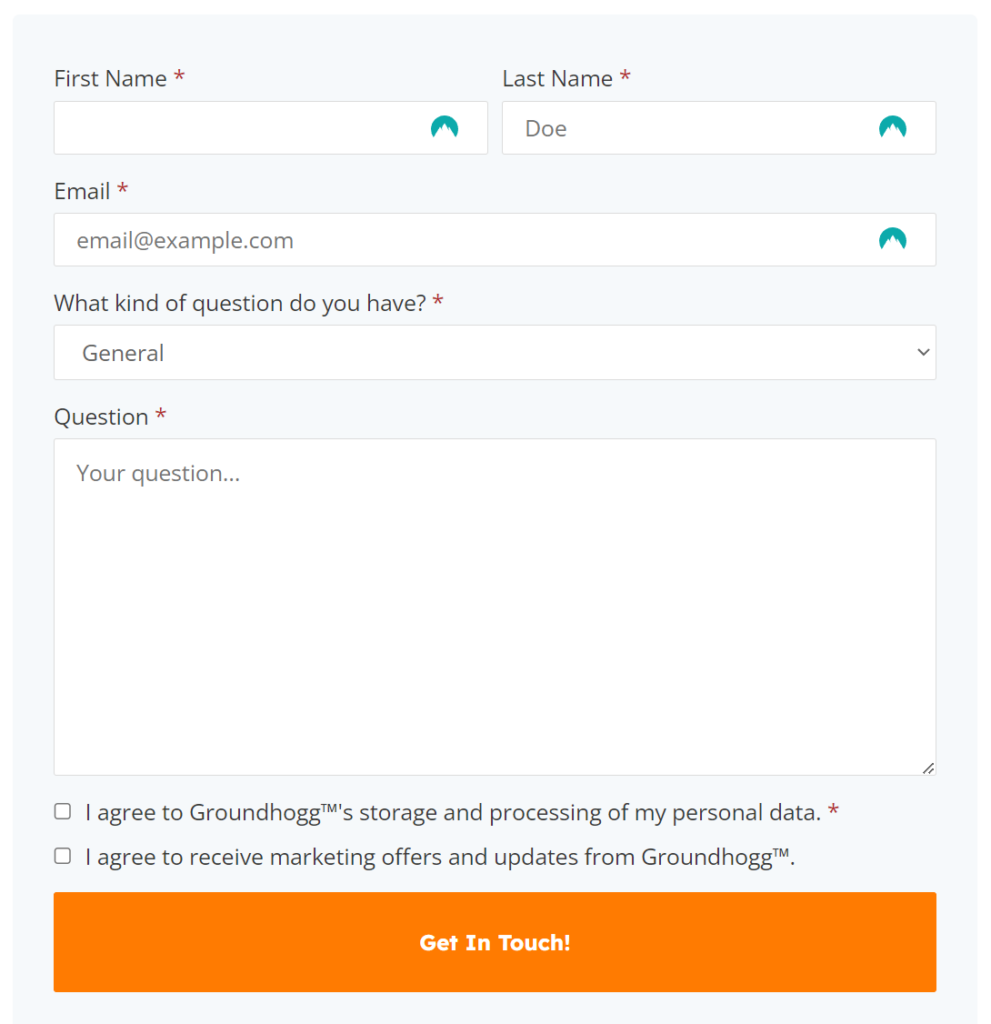
Make an enhanced contact form!
Remember, whenever we ask for an email address is an opportunity to convert a lead into a customer, we just have to ask a couple more questions!
“What kind of question do you have?” This is important to ask so we can segment this contact into the correct sequence. Some typical question topics we can filter based on are…
- Pre-sales
- Support
- Billing
- Etc…
We don’t want to send a current customer the same emails as a potential customer because those are two different conversations.
“Would you like to be added to the list?” If you start sending someone marketing without asking for permission you might rub them the wrong way, and you can kiss the sale goodbye. In this case, as for permission, not forgiveness.
Get consent! If you are in a GDPR-protected region, make sure you collect consent in your contact form as well!
After adding these enhancements your form should look like this!
What happens when they submit?
Like a regular contact form, you should send the message to the most relevant person so that you can answer the questions appropriately..
But what happens next is what’s important.
There may be some downtime between when the message is sent and you’re able to answer it, so what we do is fill in the space with some automated messages that can direct the lead to points of interest in your business.
Here’s an example:
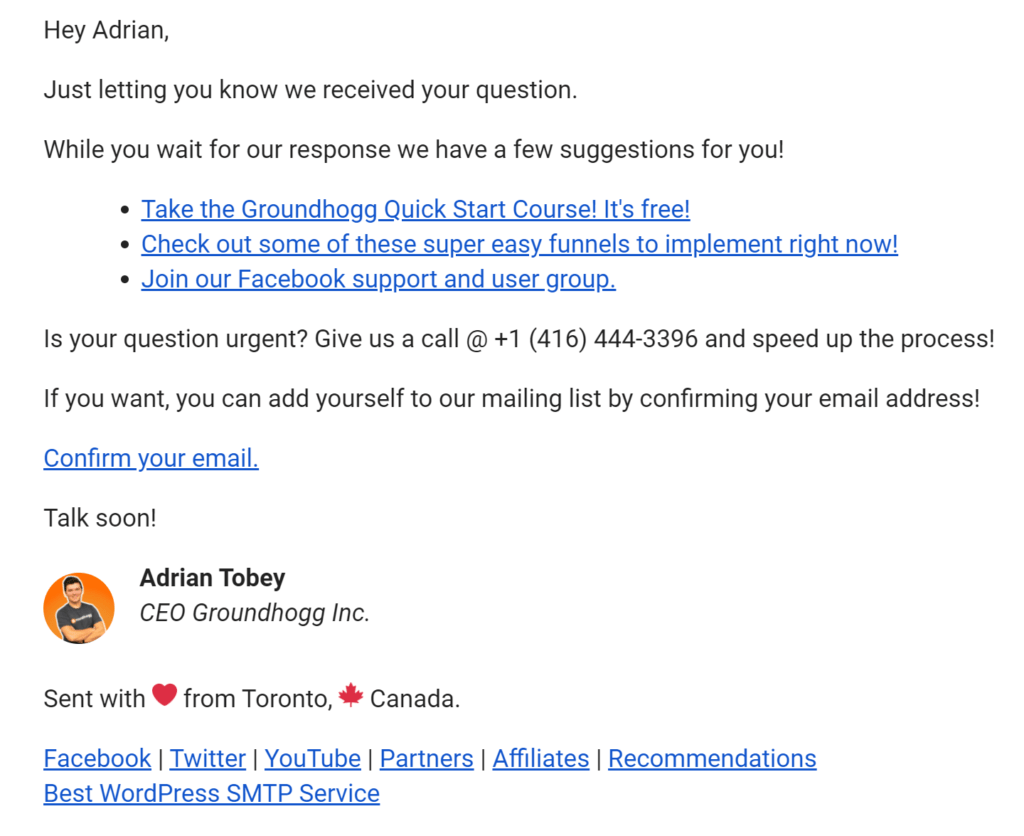
We send this information via email because they’re expecting an email response. If you just showed them the information on the site they might ignore it because they weren’t looking for it. But if you send it in an email, which they are waiting for, you can get them to notice.
Keep them occupied!
We want to keep the lead occupied because time not spent with us is time potentially spent with competitors.
So we need to give them a few options of things to do in our follow-up so that they can get a better education on the services and solutions we have to offer. Great examples are
- Online courses
- YouTube videos
- Ebooks
- Editable templates
- Long-form blog articles
- Etc…
Anything they can consume or interact with is a good idea. Give them three or four things to occupy them until you can get them an answer to your question.
Follow up in a few days.
Hopefully, you’re pretty good at answering questions (if you’re not it might be time to look at having someone help you with that) so that we can send an automated follow-up email a few days after they asked their question.
Send them a quick message asking if they have any additional questions they’d like answered, and suggest some next steps!
Like this:
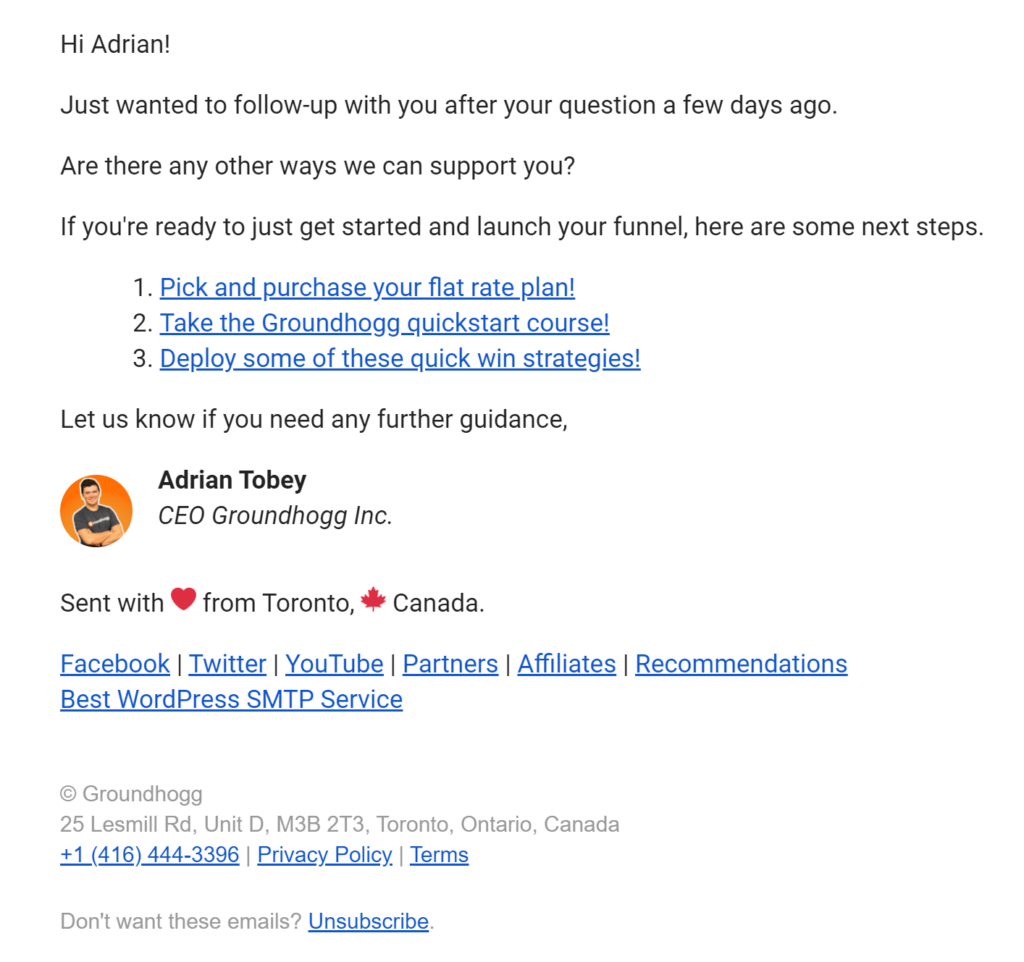
Only send to relevant leads!
Obviously, we don’t want to send these emails to people who are already customers, so if you are using Groundhogg we can filter them out using conditional logic!
We save the question type from earlier as a custom meta field and only send the follow-up emails to contacts that selected Pre-Sales as their answer.
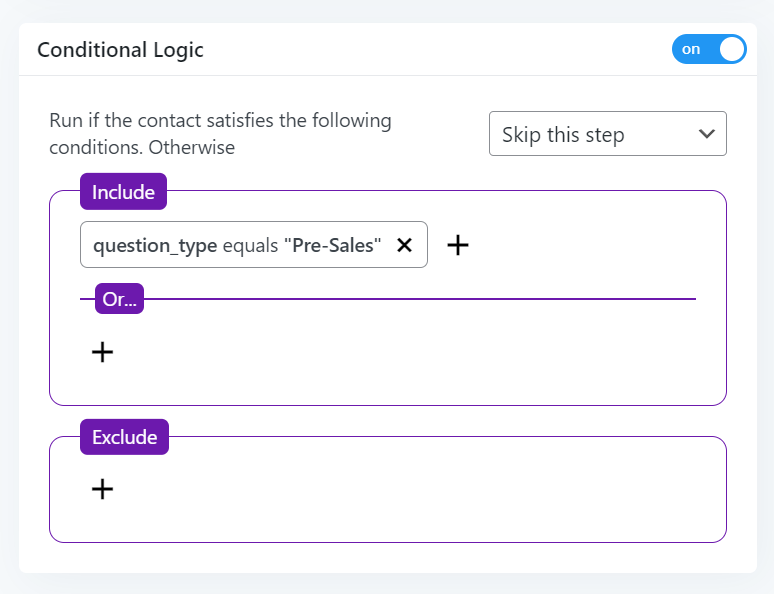
That way, existing customers aren’t confused by emails that aren’t really for them.
Leave a Reply